| SOLIDWORKS | Draftsight |
| Modul: | Installation |
| Gültig für: | all Version |
| Status: | 23.10.2026 |
Installation
If you have any questions or encounter any problems, please refer to the DraftSight Help section first.
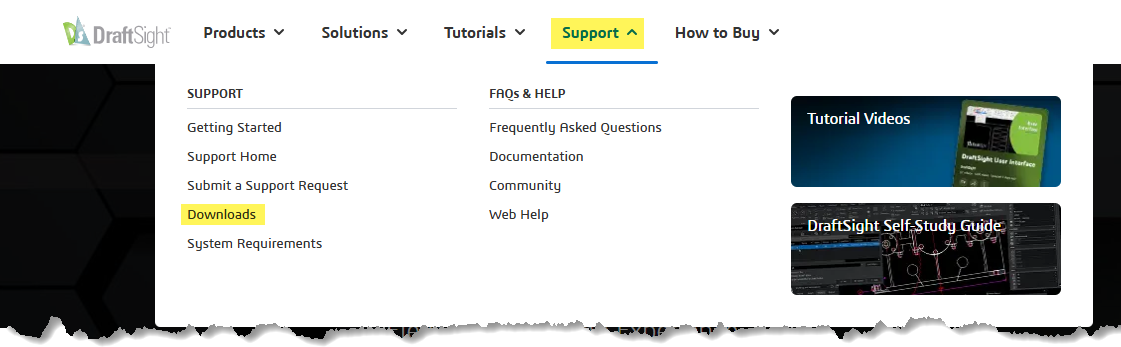
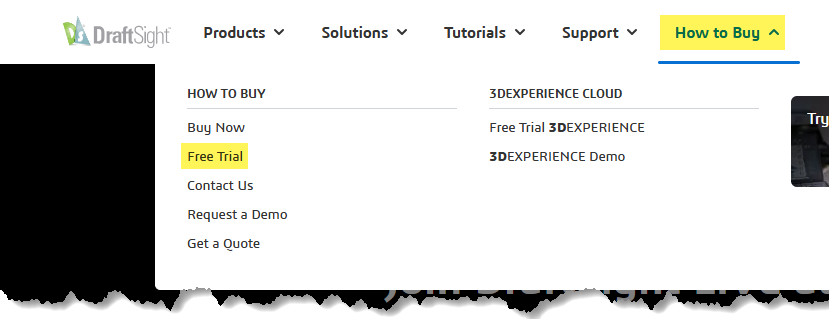
The software can be downloaded directly from www.draftsight.com under 'Support' > 'Download' for Windows or Mac. You do not need to request a trial version (How to Buy > Free Trial); simply select 'Free 30-day trial' during installation to get started. We recommend a guided trial session so that you can find the option that suits you best, and so that you don't have to wait in a queue if you have any questions.
Please note the following before installation:
- Having Defender running may prevent certain files from being installed, which could cause problems later on.
- Add DraftSight and its applications to the firewall's list of trusted applications.
- Run the downloaded file as administrator.
- The licence type cannot be changed without uninstalling the software.
Licence types: The two most common types
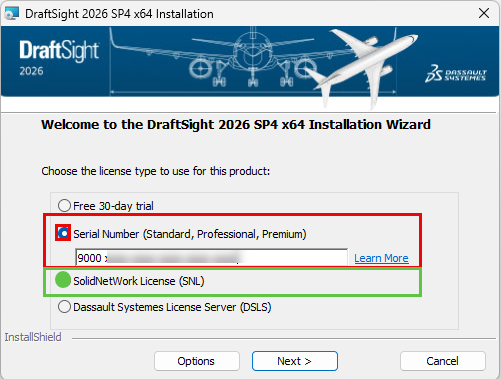
- For single-user licences, During the installation process, enter your DraftSight serial number (Standard, Professional or Premium) in the red-marked area shown in the screenshot below.
- Network(floatng) licence: select the SolidNetwork Licence (SNL) option to connect the client to the SolidNetWork License Manager server for DraftSight-Enterprise licences.
Next steps regarding network licences:
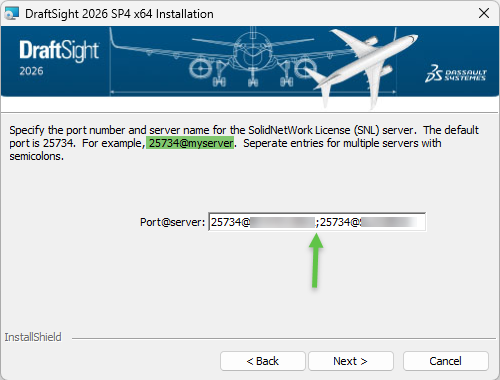
Next, enter the port number (usually 25734) followed by the licence manager’s server name or IP address, separated by an @ symbol. If you have multiple SolidNetWork License Servers, separate them with a semicolon, without spaces. The installation should now run smoothly.
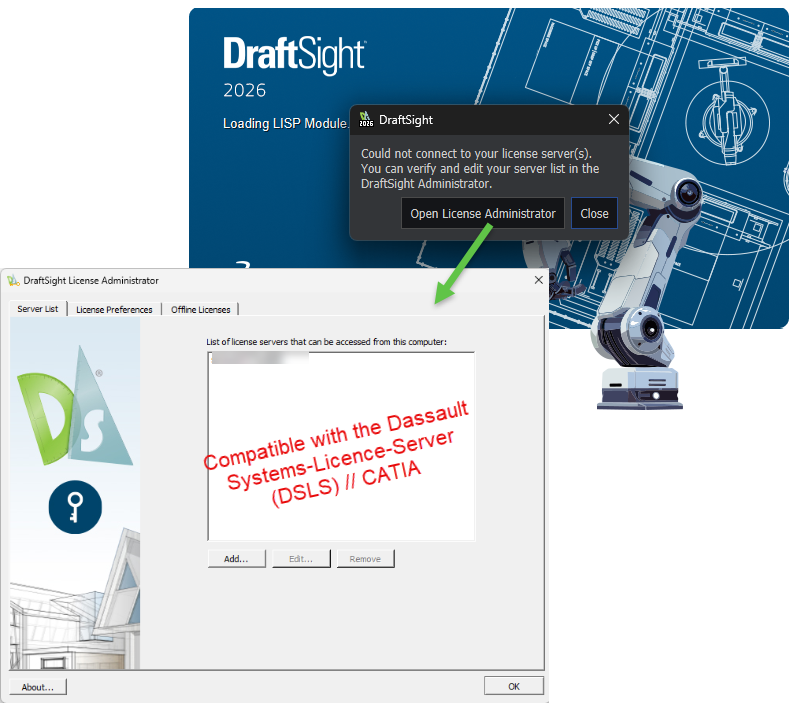
Common errors: Could not connect to your license servers(s). ...
During installation, the Dassault Systèmes Licence Server (DSLS) was selected instead of the SolidNetWork Licence Server (SNL). The DraftSight Licence Administrator window will now appear. If you cannot enter your server and port details at this stage and your licence number does not start with 9010 or 0010, it is possible that your licence is not compatible with the DSLS. The only option is to uninstall and reinstall DraftSight. Make sure you select the SNL during installation!
Uninstall DraftSight
Save invidual settings
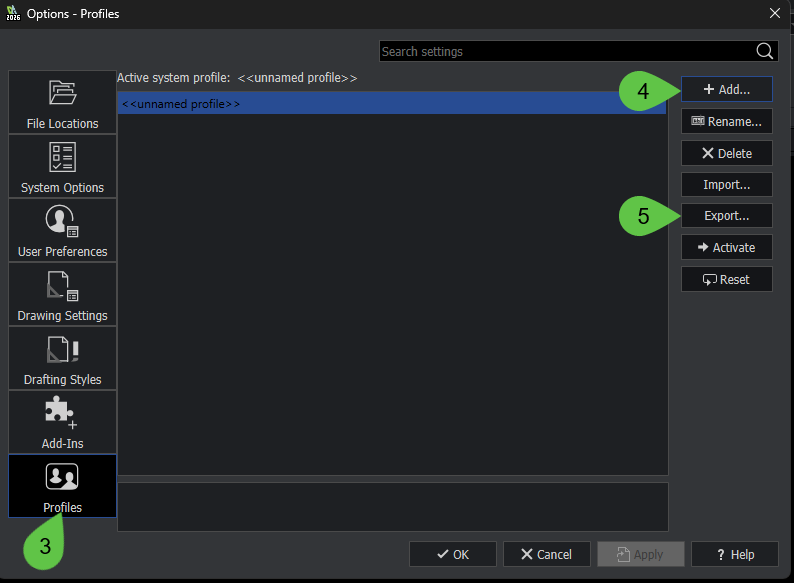
Save your profile/settings: DS Logo> Options > Profiles > Add > Export...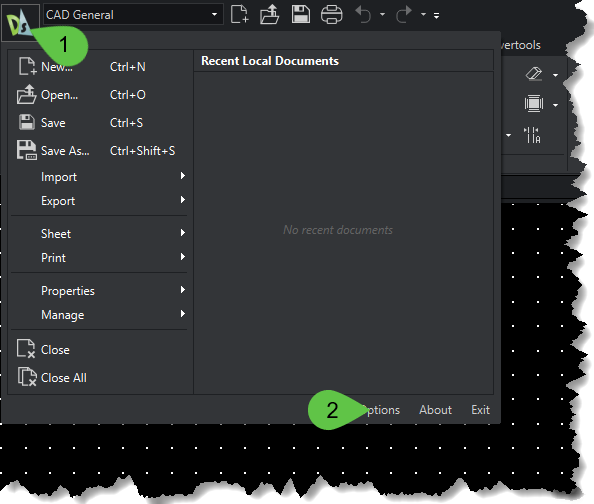
Deactivate sigle user license
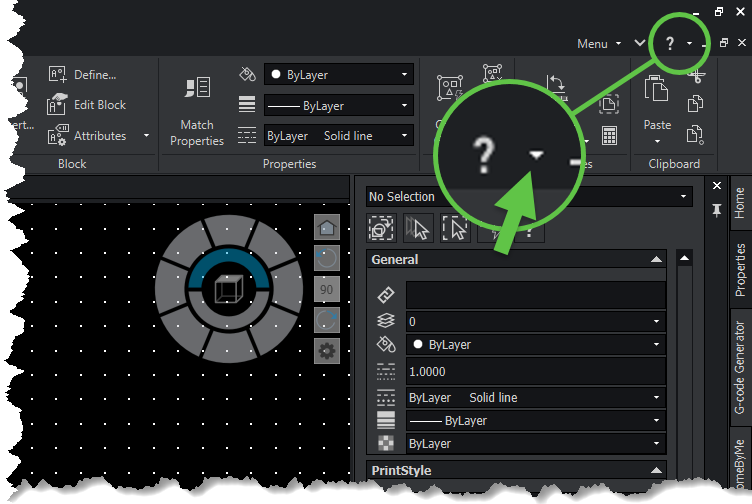
Remember to deactivate the licence to avoid activation issues later on. Click on the arrow next to the question mark in the top right-hand corner and then select 'Deactivate licence'. Select DraftSight and continue until the process is complete.
uninstall the software
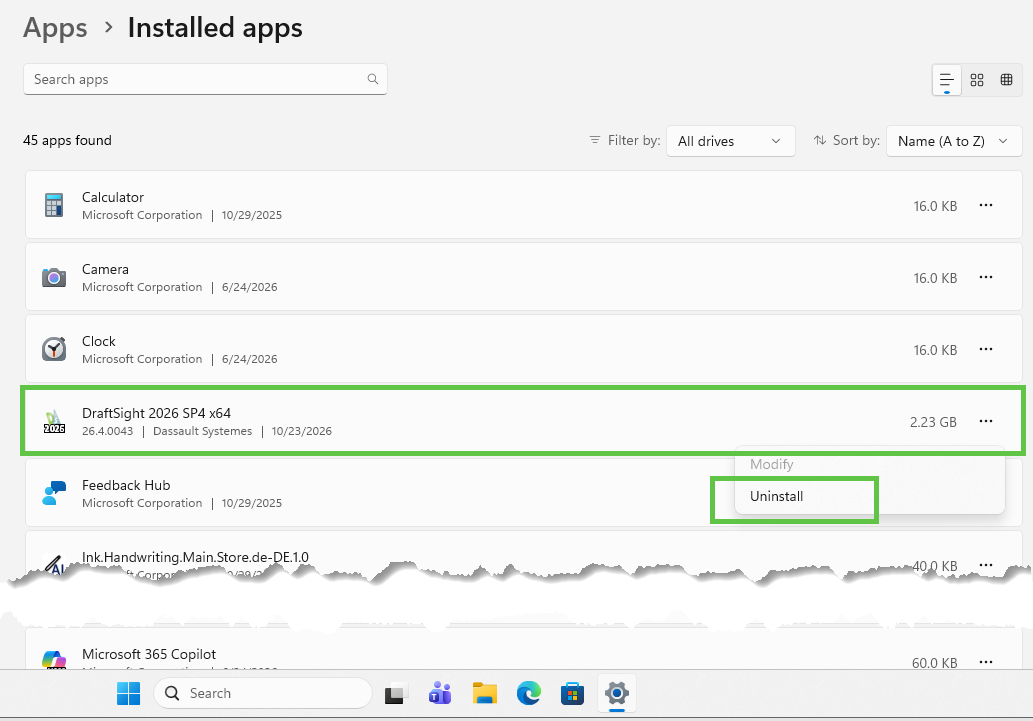
To uninstall the software, simply follow the standard Microsoft procedure. Right-click the Windows flag > Installed apps. Select DraftSight and click 'Uninstall'.